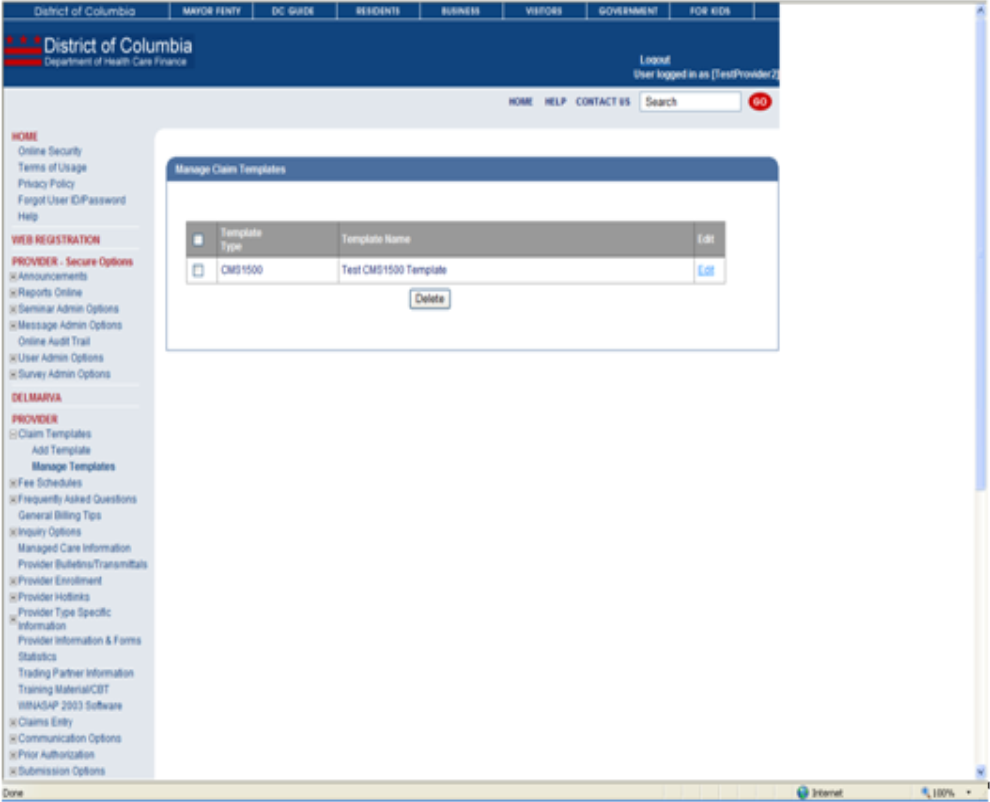
Creating Claim Templates Web Page
Overview -The Claim Templates function allows a user to create and save a template of a claim. This is useful when much of the information submitted on each claim is the same each time.
Creating Claim Templates: Web Page Image
Figure 233: Claims Templates
Creating Claim Templates: Web Page Details
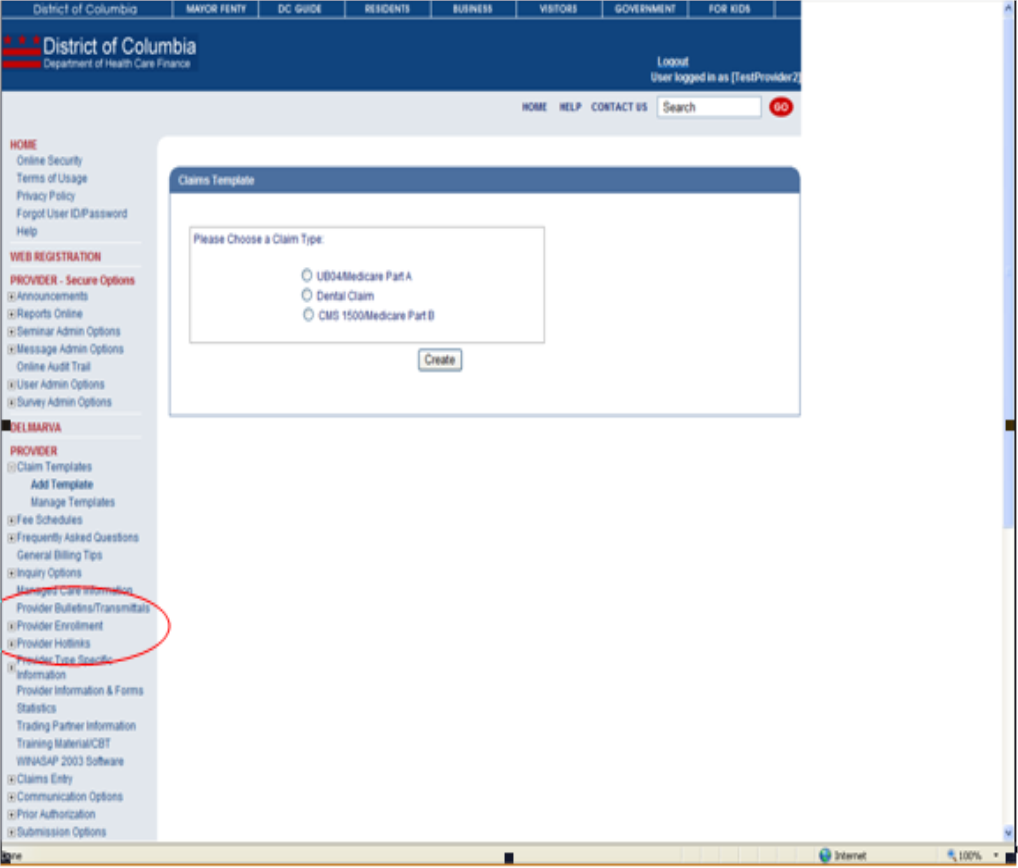
- After logging in to the secure Web Portal, on the left side of the Home Pagein the navigation bar, the user should click '+' for Claim Templates to expand the Claims Templates options.
- To create a new template, the user will click Add Template.
- On the Claim Templates page, the user will click the radio button for the claim type they wish to save and then click Create.
- The following page is a copy of the selected claim form. The user should enter a name for the template and fill in the data they wish to save (e.g., procedure codes) .
- After completing any fields, the user will click Save Template.
- The user will receive a success message, "Template Saved Successfully". The template may now be utilized when entering claims or edited by using the Manage Template function found under Claims Templates.
Figure 234: Claims Templates
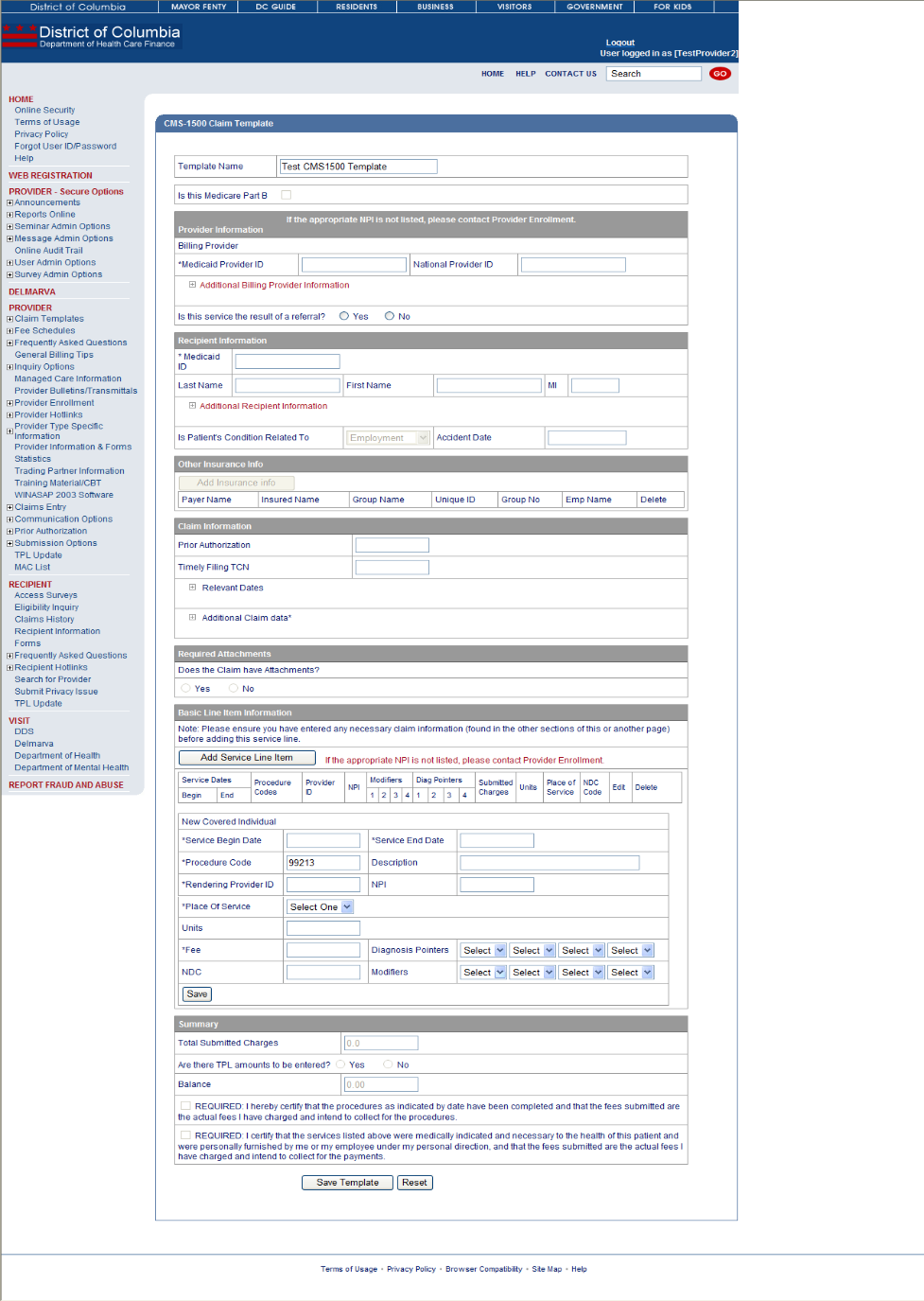
Figure 235: Claims Templates
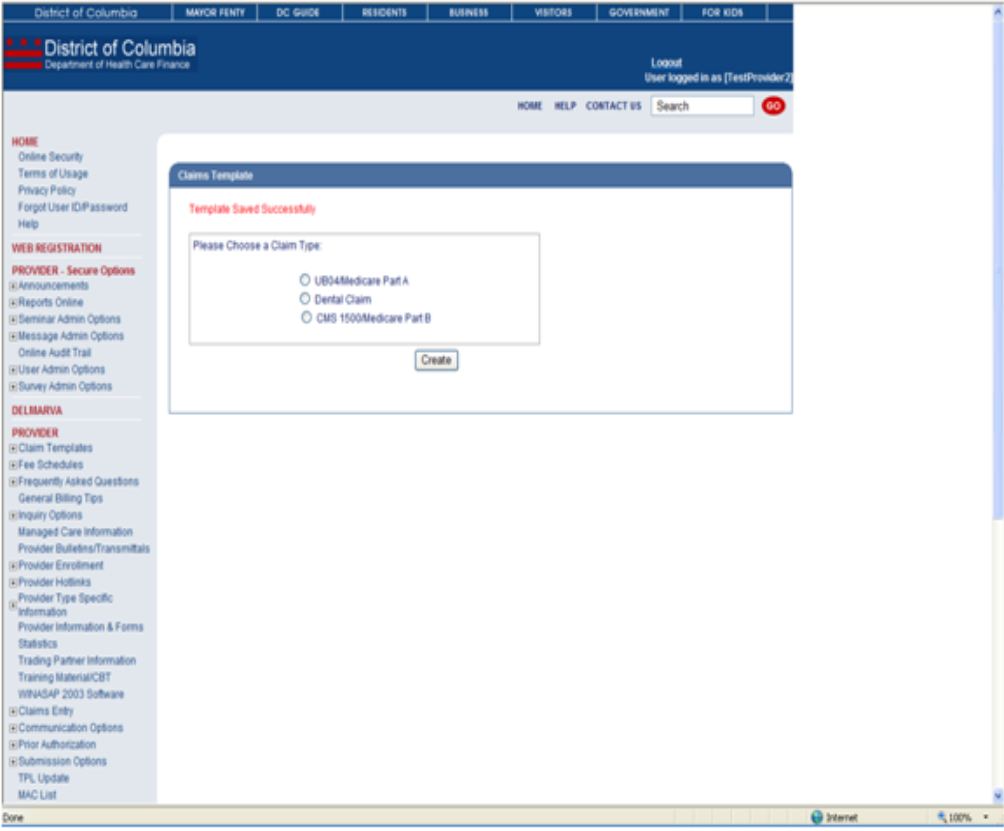
Figure 236: Claims Templates