Web Portal Document Admin
Overview – The Web Portal Document Admin page allows users with appropriate privileges to upload documents to the Web Portal.
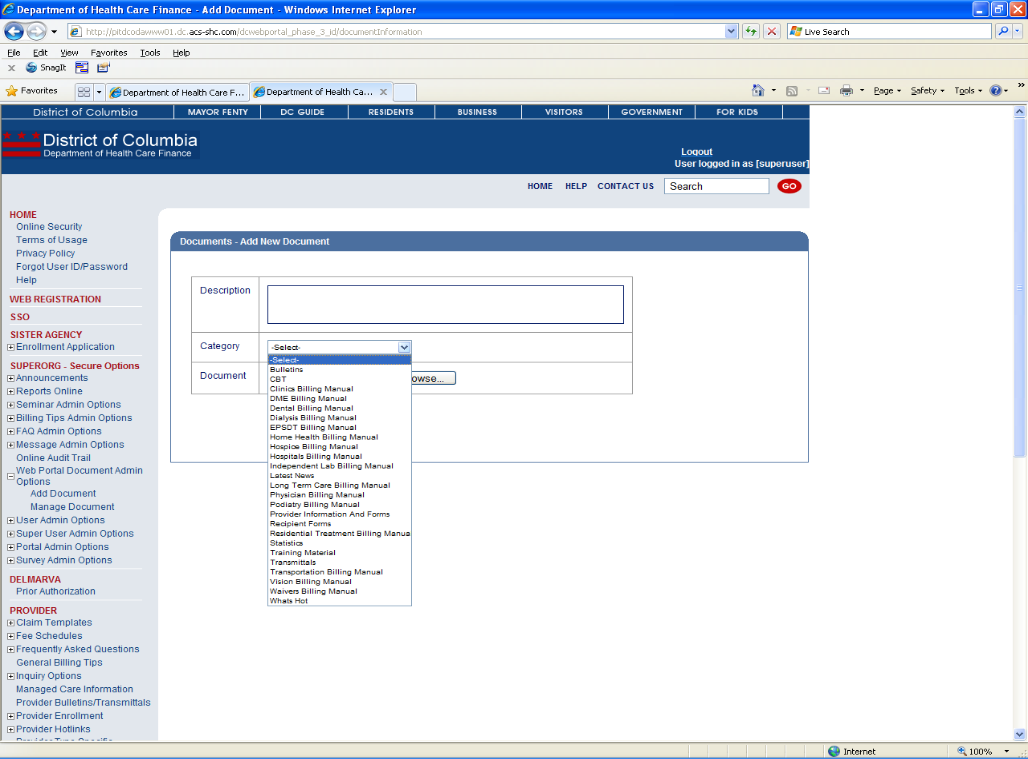
Web Portal Document Admin Add Document Web Page Image
Figure 59: Web Portal Document Admin Add Document Web Page Image 1
Web Portal Document Admin Add Document Details
- Select Web Portal Document Admin from the left navigation bar.
- Select Add New Document.
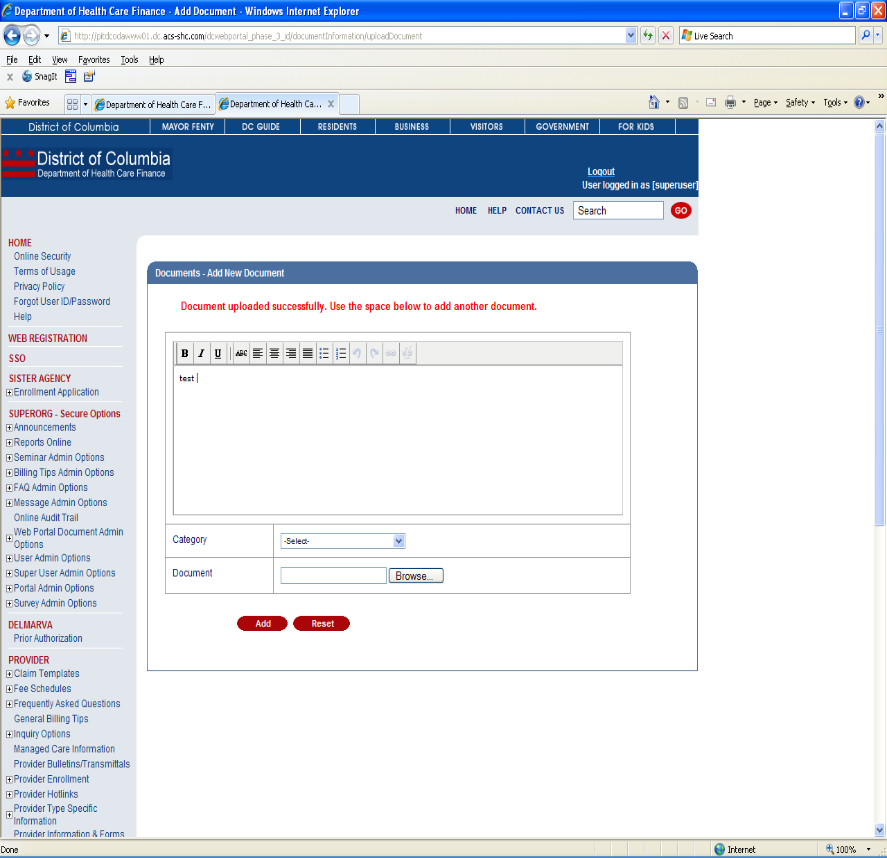
- Description - Enter a brief description of the document.
- Category - Assign the document to one of the categories in the drop-down list.
- Document - Enter the location of the document.
- Click Add to upload the document or Reset to start over.
Figure 60: Web Portal Document Admin Add Document Web Page Image 2
Web Portal Document Admin Delete Document Details
- Select Web Portal Document Admin from the left navigation bar.
- Select Manage Documents.
- Check the box next to the document(s) you wish to delete.
- Click Delete to delete the document(s).